
When we shipped 0.5, a Chinese animator on YouTube asked us a fair question: why is only the menu bar in Chinese? They were right. Our translations stopped at the top of the window. Every panel, dialog and status message below it was still in English.
We promised them a full Chinese interface in the next release. It's done.
#简体中文, all of it
In Rigby2D 0.5.1, set Preferences ▸ General ▸ Language to 简体中文, or just let Rigby2D follow your system language. You'll get Chinese text everywhere:
- Every panel: the tree, the inspector, the timeline, the dopesheet and the graph editor.
- Every tool and dialog: constraints, meshes and weights, AutoRig, retargeting, poses and face controls, lip-sync, scenes, rendering and sprite sheet export.
- Every message: status lines, import warnings (DragonBones files included) and errors.
- The tutorials: all four lessons, step by step, from the first click to your first animation.
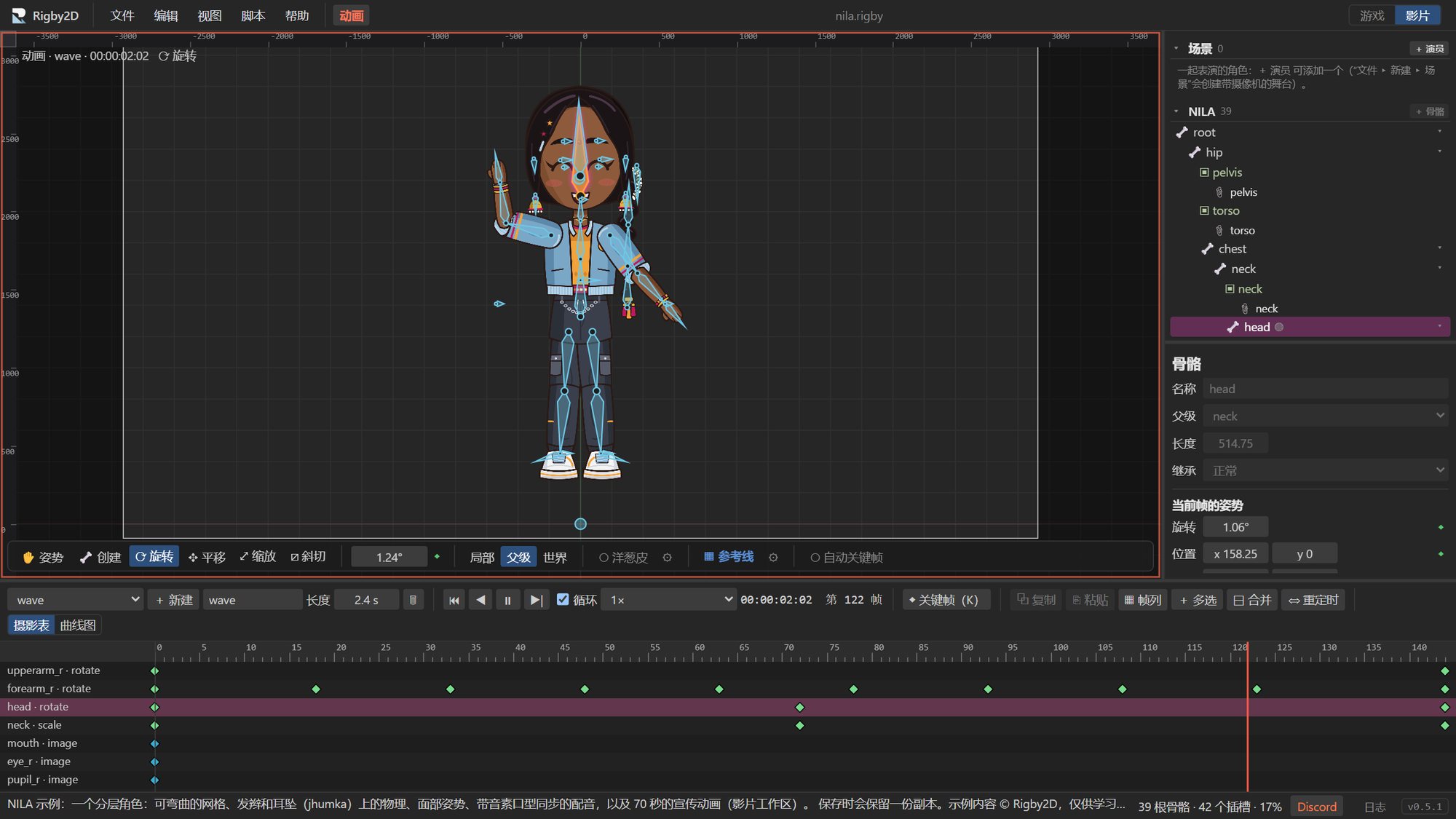
That's about 1,450 translated texts, up from 400. A test now fails the build if any interface text is missing its Chinese translation, so new features will arrive in Chinese too.
Japanese, Korean, Spanish and Portuguese still cover only part of the interface. They're next, and if you speak one of them and would like to help, tell us on Discord.
0.5.1 also brings a few smaller things: AutoRig can import PNGs straight from its own window, and the Help menu has a new home for support and community links. The release is coming soon.
#Our home is Discord now
After Reddit banned r/rigby2d (here's what happened), we moved the community to Discord, and it has already grown into a nice place to hang out.
Show your work in #showcase, ask in #help, shape the next version in #feature-requests, and our Chinese-speaking users have their own #中文 channel. File ▸ Share to Discord… in the editor turns your animation into a GIF, ready to post.
Something for artists is starting there soon. Keep an eye on the server.
#Thank you, Gideon and Raphael
Rigby2D now has its first two supporters on GitHub Sponsors: Gideon Bakx and Raphael C. Ramos. They're our first Founding Supporters, and their names are now on the support page and in the editor's Help ▸ Supporters.
Their support goes straight to our first goal: signing Rigby2D's downloads in its own name, so Windows and macOS stop warning you when you install it. Gideon, Raphael: thank you. You backed the project before it had anything to show for it, and that means a lot.
Rigby2D is free and open source, and it stays that way. If it's useful to you, support the project or give it a star on GitHub.