
Rigby2D 0.5 got bigger. Two of the most asked-for features on r/rigby2d made it in: a Defold runtime and sprite sheet export. Both come with 0.5 on Friday, November 6, along with everything in the first 0.5 preview. 中文版本.
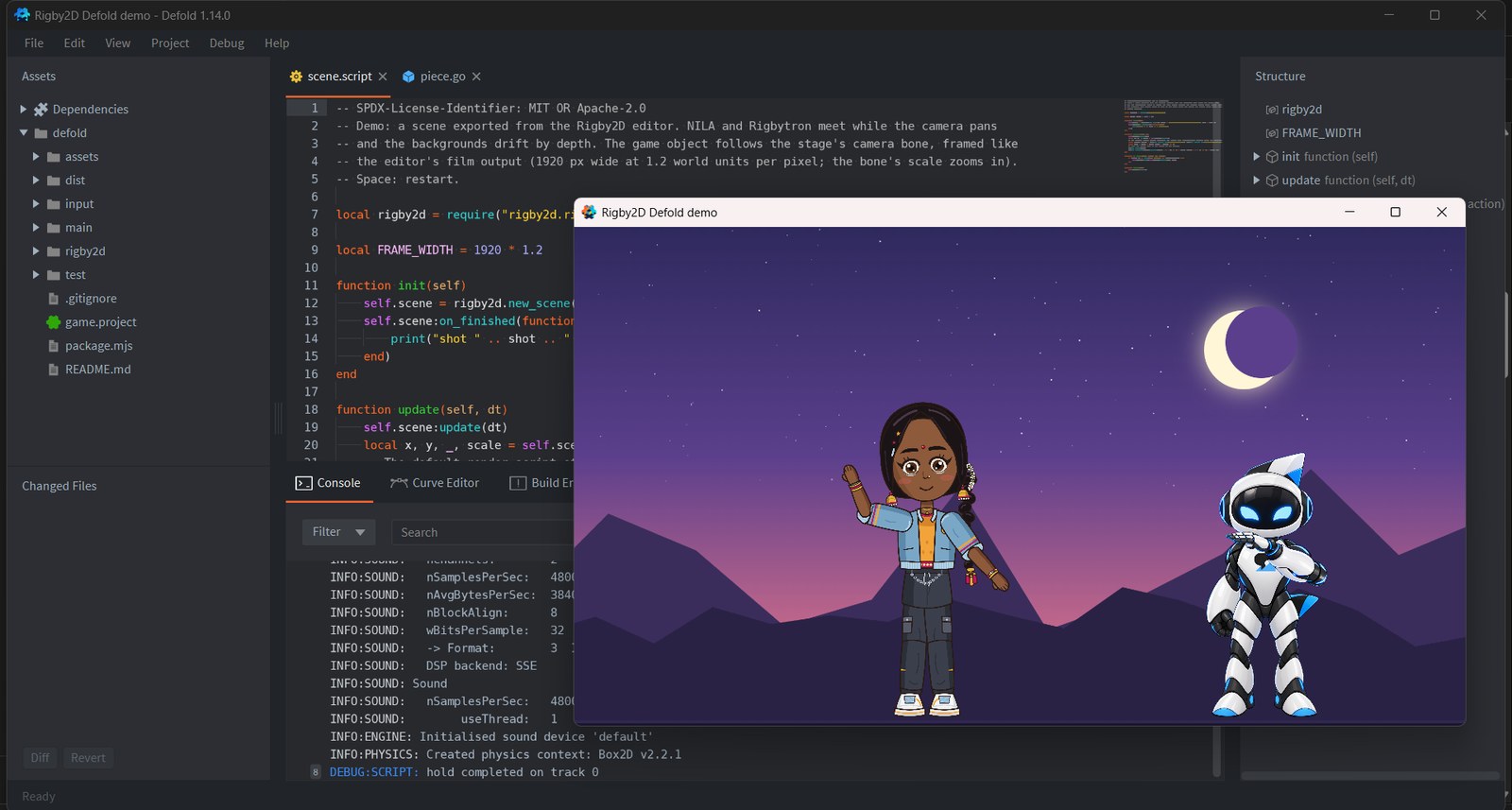
#Defold, as a full runtime
Not a preview, and not a community port. The Defold runtime is the Rigby2D runtime rewritten in C++, a native extension that Defold's build server compiles for Windows, macOS, Linux, Android, iOS and HTML5. It plays everything the editor makes: meshes and weights, IK, transform, path, physics and slider constraints, skins, clipping, two-color tint, blend modes, events, layered tracks with crossfades, and whole scenes with a stage, several characters, a camera and parallax.
local rigby2d = require("rigby2d.rigby2d")

function init(self)
	self.hero = rigby2d.new({ skeleton = "/assets/hero.skel", atlas = "/assets/hero.atlas", animation = "idle" })
	self.hero:on_event(function(e) if e.name == "footstep" then sound.play("#step") end end)
end

function update(self, dt)
	self.hero:update(dt)
end- The same animation as the editor. The JavaScript runtime is the reference, and on every commit CI replays its output against the C++ one, frame by frame: bone matrices, vertices, colors, draw order and events. On Rigbytron the largest difference is 2 × 10⁻¹⁶; on NILA, with physics on her braid, 3 × 10⁻⁹.
- Fast. The C++ code writes each frame's triangles straight into Defold's vertex buffers, with no work per vertex in Lua and nothing allocated in steady playback. NILA (39 bones, 890 mesh vertices, physics) poses in about 12 µs.
- One dependency. Add the library URL to game.project and Defold builds it for you. In the editor, File ▸ Get runtimes ▸ Defold copies the URL and has a demo project.
The library URL goes live with the release on Friday. Until then, copy the
runtimes/defold/rigby2d
folder into your project. The Defold guide
has the whole API.
#Sprite sheets
For engines that play frames instead of bones, or to hand an animation to someone who works in Aseprite, File ▸ Export ▸ Sprite sheet… renders your animations frame by frame.
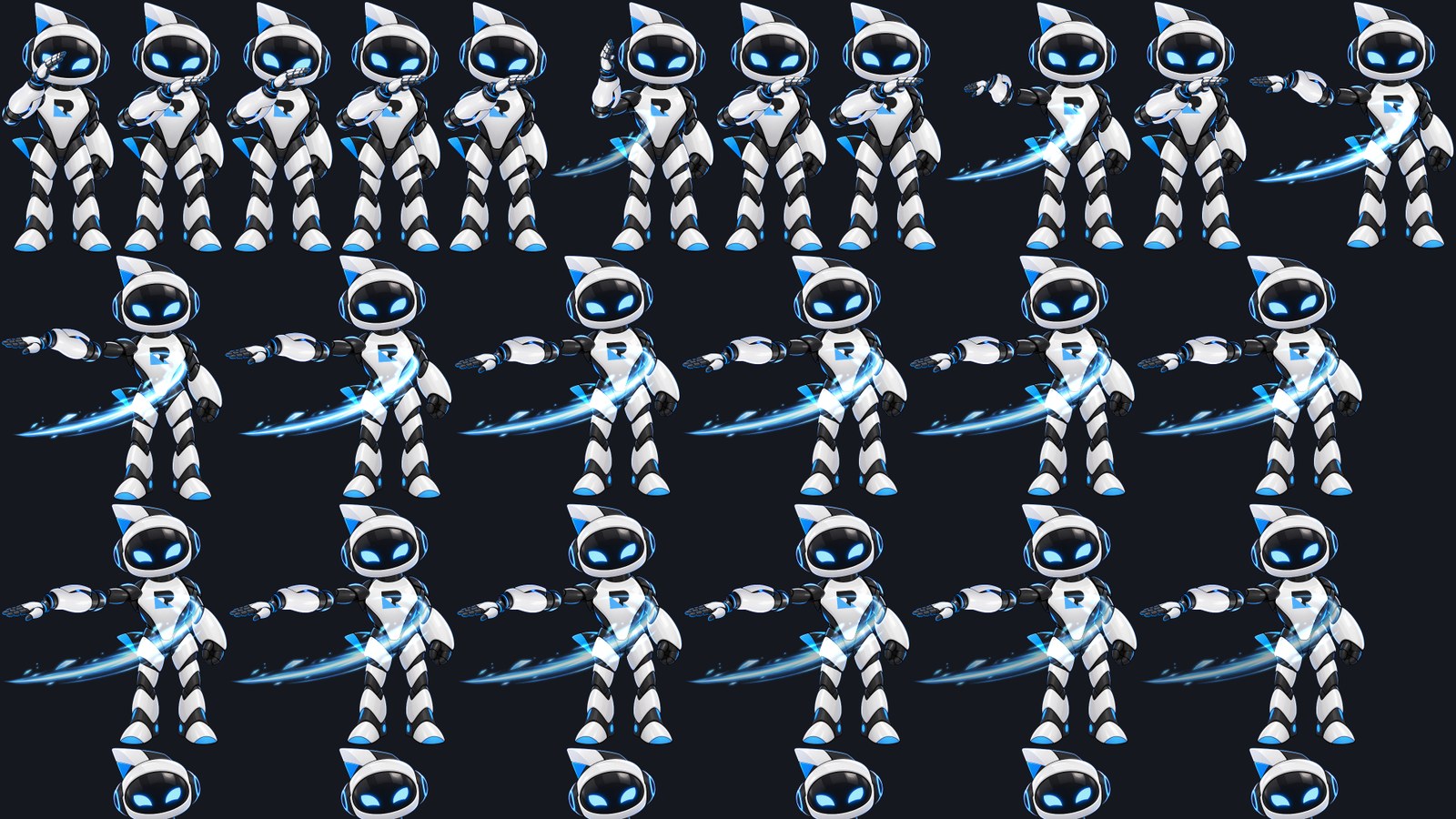
- Three formats: a packed PNG with a JSON hash (TexturePacker's layout, read by Phaser, PixiJS and most importers, with Aseprite's frame tags and a pivot at the character's origin), a Defold atlas with its frames, or plain PNG frames.
- Loops that join up. The repeated last frame is left out, and physics plays the loop once before the frames are taken, so hair and cloth flow from the last frame into the first.
- Small sheets. Frames are trimmed to their visible pixels, identical frames are stored once, and you choose a packed or a grid layout, padding and size.
- Pixel art stays crisp. With the project's textures set to Nearest, frames are sampled without smoothing.
- Same result everywhere. Frames are drawn by a renderer built into Rigby2D, with two-color
tint and every blend mode, so a sheet from the browser, the desktop app or the
MCP server (
export_sprite_sheet) is identical.
It is in the browser editor today: sheets download as a zip.
#Also new
- The Godot runtime is out of preview.
RigbySkeleton2DandRigbyScene2Dare complete, with downloads for Windows, macOS and Linux. - Layered PNGs land in place. Export your layers as same-size PNGs (Photoshop's Export Layers to Files, or any full-canvas export) and File ▸ Import ▸ PNG images places each where it was drawn, like a PSD, ready for AutoRig.
- A page for every runtime. rigby2d.com/runtimes shows all seven, how they compare with Spine's, and a live crowd of NILAs your browser animates: try 200.
- Docs caught up. Dopesheet copy and paste, the Help menu, add-on submenus and the shortcut list are documented, and every runtime list now includes Defold and Cocos Creator.
#Friday
0.5.0 lands on the Releases page on November 6 with installers for Windows, macOS and Linux and every runtime, Defold included. If you have Rigby2D, the editor offers the update itself. Questions, or a Defold game to show? Come say hi on r/rigby2d.