
On YouTube someone asked how to add animated characters to Phaser without Phaser Editor. Good news: you don't need it. Rigby2D for Phaser is a plain plugin, one file, and your character is a game object like any sprite. Here is the whole thing, start to finish, with NILA.
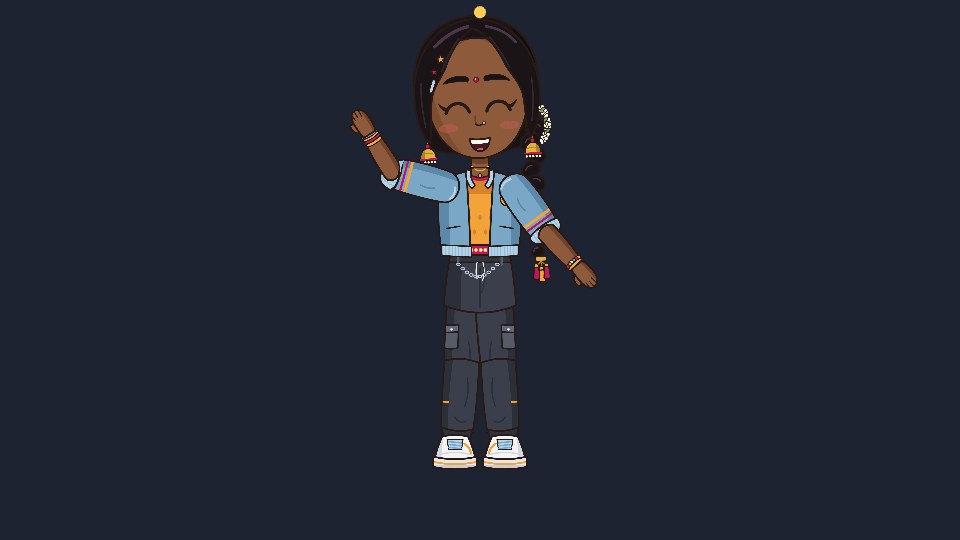
#1. Export your character
In Rigby2D, open your character (or File ▸ Open demo… ▸ NILA) and choose
File ▸ Export ▸ Binary .skel + atlas (4.3)…. You get three files: nila.skel, nila.atlas and
nila.png. Put them in an assets folder.
#2. Get the plugin
In the editor, File ▸ Get runtimes… ▸ Phaser ▸ ES module saves rigby2d-phaser-<version>.mjs
(it is also on the Releases page).
Rename it rigby2d-phaser.mjs and put it next to your game. The folder now looks like this:
my-game/
  index.html
  main.js
  rigby2d-phaser.mjs
  assets/
nila.skel nila.atlas nila.png#3. A page that loads Phaser
index.html loads Phaser from its CDN and your game as a module:
<!doctype html>
<html>
  <body style="margin: 0; background: #1b1b1b">
    <script src="https://cdn.jsdelivr.net/npm/[email protected]/dist/phaser.min.js"></script>
    <script type="module" src="./main.js"></script>
  </body>
</html>The plugin works with Phaser 4 too.
#4. The game
main.js registers the plugin, loads the character and puts her on stage:
import { rigbyPhaser } from './rigby2d-phaser.mjs';

const { RigbyPlugin } = rigbyPhaser(Phaser);

class Level extends Phaser.Scene {
  preload() {
    this.load.rigby('nila', 'assets/nila.skel', 'assets/nila.atlas');
  }

  create() {
    // x, y (where her feet go), key, animation. It loops by default.
    this.nila = this.add.rigby(480, 520, 'nila', 'idle');
    this.nila.setScale(0.18);

    // Space: wave once, then back to idle with a soft crossfade.
    this.input.keyboard.on('keydown-SPACE', () => {
      this.nila.play('wave', false, 0.2);
      this.nila.queue('idle', true, 0.3);
    });

    // Keys you set in the editor's timeline arrive as events.
    this.nila.on('event', (entry, event) => console.log('event:', event.name));

    // A sparkle that follows her head bone.
    this.sparkle = this.add.circle(0, 0, 6, 0xffcc55);

    this.keys = this.input.keyboard.createCursorKeys();
  }

  update(time, delta) {
    if (this.keys.left.isDown) {
      this.nila.x -= 0.2 * delta;
      this.nila.flipX = true;
    } else if (this.keys.right.isDown) {
      this.nila.x += 0.2 * delta;
      this.nila.flipX = false;
    }
    const head = this.nila.boneWorld('head');
    this.sparkle.setPosition(head.x, head.y - 130);
  }
}

new Phaser.Game({
  type: Phaser.WEBGL,
  width: 960,
  height: 540,
  backgroundColor: '#1d2330',
  plugins: { scene: [{ key: 'RigbyPlugin', plugin: RigbyPlugin, mapping: 'rigby' }] },
  scene: Level,
});The four lines that matter: rigbyPhaser(Phaser) gives you the plugin, the plugins entry
installs it, this.load.rigby loads the files, and this.add.rigby makes the character.
#5. Run it
Browsers don't load modules from file://, so serve the folder with any local server:
npx serve .Open the address it prints. Arrow keys walk her, Space waves, and the sparkle stays above her head whatever she does.
#What just happened
play(name, loop, mix)starts an animation, crossfading from the current one overmixseconds.queuelines up the next one, so a wave flows back into idle on its own.flipXturns her around, like any Phaser game object. Position, scale, rotation, alpha, depth and input all work as usual.boneWorld('head')is where a bone is in the scene, every frame. Hang a hat, a weapon, particles or a hit box on it.- Events you key in the editor's timeline (footsteps, a sword hit) fire
'event', and'complete'tells you when an animation finishes.
Everything you set up in Rigby2D comes along: meshes, physics on her braid, IK, skins and blend modes play exactly as in the editor.
#Even faster: the starter
Want it running in one minute? The editor's welcome screen has a Phaser game starter: NILA on a
stage, walking, waving and switching moods with crossfades. Or download it directly:
rigby2d-phaser-starter.zip. Unzip, npx serve ., done.
Swap in your own export and you have your game's character.
The Phaser guide lists everything a Rigby2D character can do. Stuck, or made something? Tell us on r/rigby2d.